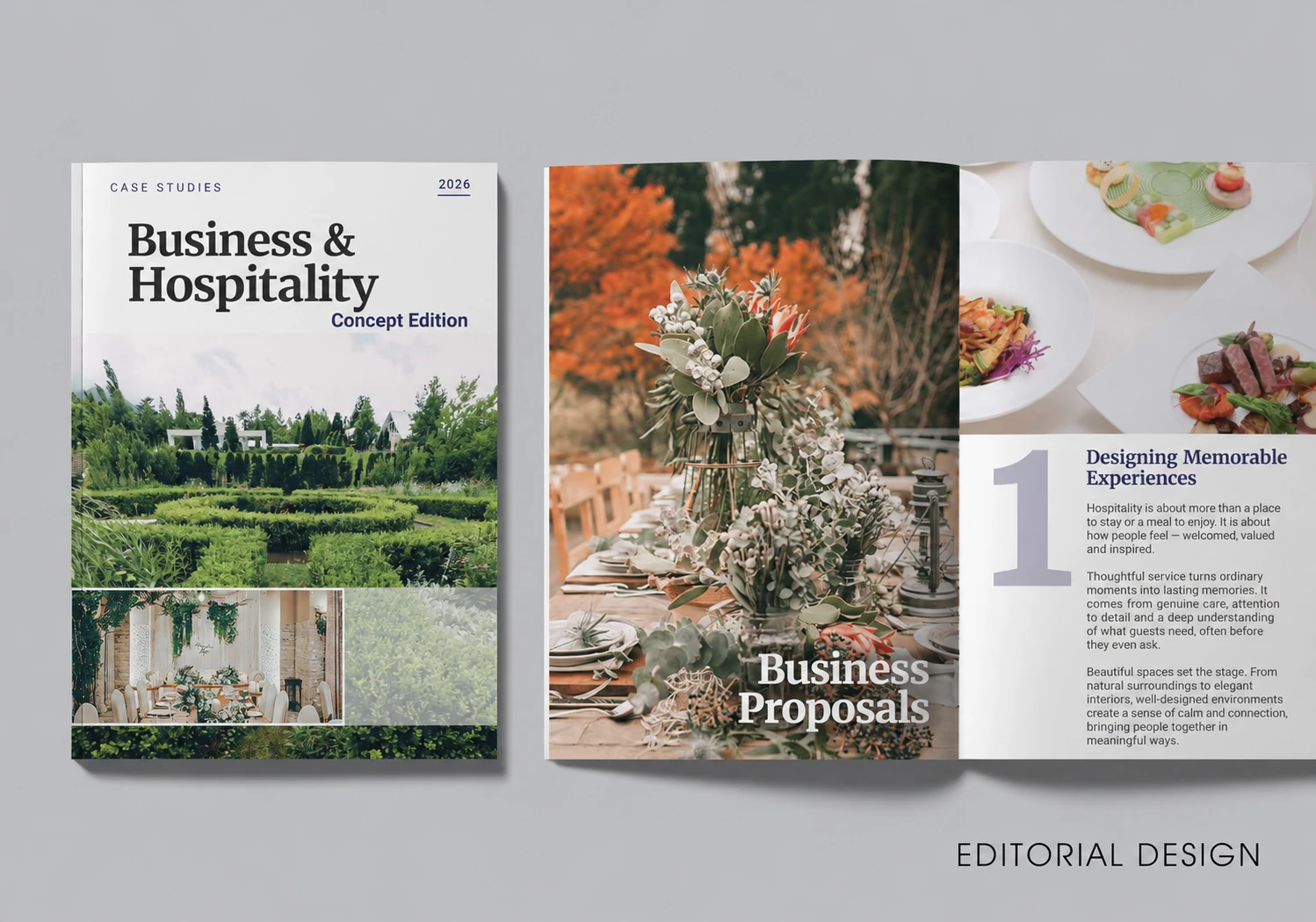
In today’s highly competitive landscape, small and medium-sized enterprises (SMEs) in Singapore must go beyond content alone — professionally designed books and magazine page layouts can be powerful tools for standing out. Whether you’re publishing a company profile, product catalog, internal training manual, or a thought-leadership magazine, layout matters.
A polished publication doesn’t just attract attention — it builds credibility, communicates your brand story, and makes a lasting impression. In this guide, we’ll explore 10 practical layout design techniques that will elevate your printed or digital publications in 2025 and beyond — especially if you design books or working on a magazine design project for your brand.
1. Set Clear Layout Objectives
Understand Your Audience
Before jumping into design, define the purpose of your publication. Are you informing, inspiring, or educating? Understanding your target readers — their age, profession, interests — helps you align layout choices with their preferences.
Design with Intent
Younger audiences often appreciate modern, minimalist layouts, while traditional or corporate readers may expect more classic, structured designs. Tailor your layout to their expectations for better engagement and brand alignment — especially if you’re producing educational materials or design books targeted at specific demographics.
2. Choose and Apply the Right Fonts
Principles for Font Selection
Fonts set the tone for your entire publication. Choose legible, professional fonts that reflect your brand voice. Serif fonts (like Garamond) are ideal for printed books, while sans-serif fonts (like Helvetica) offer a cleaner feel for digital formats.
Want expert guidance? This guide to the best fonts for books breaks down top typeface choices by readability and tone — useful whether you’re creating editorial magazines or design books.
Font Size and Line Spacing
Body text is typically most readable between 10–12pt. Maintain line spacing at 1.2–1.5x the font size to reduce eye strain and improve flow. Consistency in your typography contributes heavily to the overall clarity of your book or magazine page layout.
3. Page Layout and Structure
Structure That Supports Content
Your layout format should reflect the nature of your content. Single-column designs are great for dense reading. Two-column layouts allow for flexibility in combining text and visuals. Grids and structure are essential to any clean, readable book and magazine page layout.
White Space and Element Spacing
White space isn’t just empty — it’s essential. It highlights important content, improves legibility, and gives your publication a premium, uncluttered feel. Avoid cramming every inch with content; let your design breathe.
Want to see how professionals make white space work? This guide on 10 ways to utilize white space offers real-world examples and tips.
4. Apply Strategic Use of Color
Use Color Psychology
Color impacts how readers feel and behave. Blue builds trust, green suggests growth, and red grabs attention. Be intentional about your color choices — they should enhance, not overpower, the message.
Align With Brand Identity
Stick to your brand’s color palette for consistency across all marketing materials. Using your brand colors in headings, highlights, or backgrounds reinforces recognition and professionalism — an important component of any cohesive magazine design or branded publication.
5. Create Visual Balance and Harmony
Understand Visual Balance
Balanced layouts feel structured and comfortable to read. Symmetrical layouts convey stability, ideal for formal content. Asymmetrical designs can feel more dynamic and engaging when used intentionally.
Mix It Up Strategically
Depending on your goals, you can switch between symmetrical and asymmetrical styles to create rhythm across different sections of your publication — an especially effective technique in high-impact book and magazine layouts.
6. Use High-Quality Images and Illustrations
Choose Images with Purpose
Images should reinforce your message — not just decorate the page. Ensure they’re high-resolution and thematically relevant. Low-quality visuals can damage your credibility.
Integrate Illustrations Thoughtfully
Illustrations are perfect for visual storytelling, simplifying complex ideas, or injecting personality. Use them to highlight key points, break up text, or guide the reader’s eye across the layout. This applies to everything from infographics in books to lifestyle imagery in magazine design spreads.
7. Craft Clear Headings and Logical Paragraphs
Design Headings That Pop
Headings guide readers through your content. Use hierarchy in font size, weight, and color to differentiate sections. A clear headline structure makes your publication easier to scan and digest — especially important in editorial magazine layouts and professional book design.
Ensure Smooth Paragraph Flow
Each paragraph should focus on one idea. Use transitional phrases to move from one point to the next. Group related content together to maintain continuity and prevent cognitive overload.
8. Balance Text and Visuals
Text-to-Image Ratio Matters
Too much text feels heavy. Too many images feel distracting. A well-balanced page guides readers without overwhelming them. Place visuals close to related text to support comprehension.
Optimize Image Placement
Images should be large enough to appreciate, but not so dominant they eclipse your content. This balance is particularly crucial in portfolio-style books and promotional magazine designs, where visuals must support — not overpower — the narrative.
9. Avoid Common Layout Mistakes
Watch for Inconsistencies
Common errors include mismatched fonts, inconsistent spacing, stretched images, or cluttered pages. These small mistakes hurt your design’s credibility.
Always Proof and Revise
Before going to print or publishing online, proofread everything. Use editing tools or ask someone else to review the layout. A fresh set of eyes can catch issues you may have missed.
10. Use Professional Layout Tools
Powerful Tools That Make a Difference
For SMEs that want a professional edge, investing in the right design tools is essential. Industry favorites include Adobe InDesign — known for its precision and publishing features — and QuarkXPress, ideal for high-end layout design with deep customization.
Choose What Fits Your Workflow
If you design books or have a project that involves magazine design, these tools provide the flexibility and control required to deliver print-ready, publication-quality results. Free or open-source tools like Scribus can also work well for simpler projects.
Final Thoughts: Good Design Speaks Before You Do
A well-designed publication does more than look good — it builds trust, communicates clearly, and leaves a lasting impression. Whether you’re designing a corporate report, educational guide, or lifestyle magazine, nailing the layout is key.
If you’re preparing a booklet, magazine, or product catalog and want every page to reflect your brand’s quality, partnering with a design team who understands both form and function can make all the difference.
SG Design Pro offers layout and design services for books, magazines, and catalogs — tailored to growing businesses in Singapore. Their experienced team helps you bring your content to life with clarity and impact, one page at a time.